
Know who is doing what
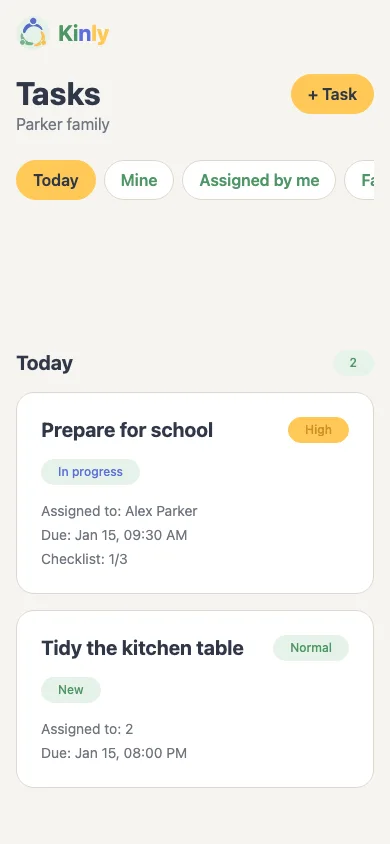
Add a task, choose who is responsible and see its status.
Your family, in sync
Keep family tasks and shopping in one place. Everyone can see what needs doing, who is on it and what is already done.
Preparing for iOS and Android. For adults and teens 13+.
Add a task, choose who is responsible and see its status.
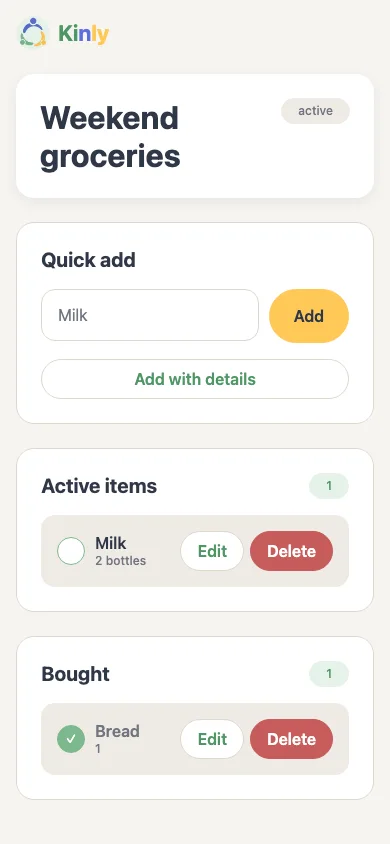
Add what you need at home and mark it bought at the store.
Invite your people into the same space for tasks and shopping.
Three simple steps
Sign up and keep your shared plan in one place.
Write down what needs doing or buying. You can assign a task to someone.
Send an email invitation. They sign in with that address and join the family.
Inside Kinly
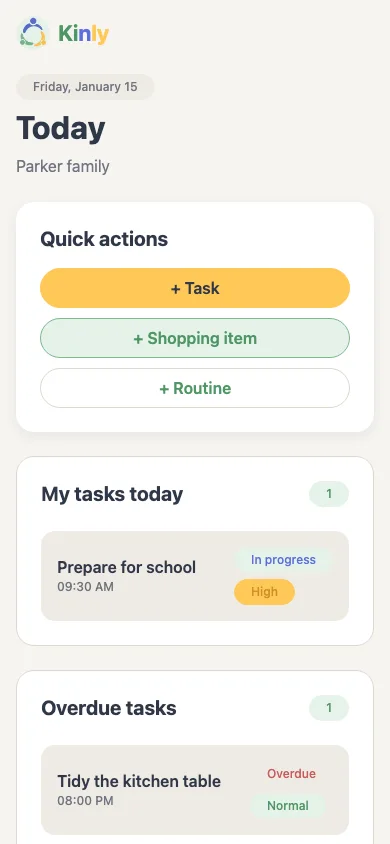
Today’s tasks, who is responsible and what to buy are easy to find.
Swipe to see all three screens.
A familiar moment
For example, when the family plans shopping and tasks for the weekend:

Our story
I’m building Kinly for my own family. I wanted everyday tasks, shopping and small plans to have one simple place everyone can see — without searching through chats or repeating reminders.
It isn’t about a perfectly organized home. It’s about a little more clarity in the day and more time to be together. That idea still guides us as we build Kinly.
The essentials
We are planning Kinly for adults and teens aged 13+ with their own sign-in. The first alpha group is for adults only.
We are preparing the app for iOS and Android. It is not yet available for public download in the stores.
An adult family member sends an email invitation from the app. Only an account using the recipient’s email address can accept it.
Join the alpha waitlist and confirm your email. We will invite some adult testers when access is ready.
Early access
We are inviting a small group of adults to try Kinly on iOS and Android. Leave your email and confirm it to be considered.
Signing up does not guarantee an invitation. No account is created here. Leave the alpha list